Store screenshots
that look designed.

Drop in a raw screenshot, pick a style, export images sized for Google Play and the App Store.

Manual mode stays local · AI is opt-in

Every image above was rendered live on this page by the same engine you'll use.

How it works

Three steps.
About two minutes.

The flow is deliberately simple: one screen, three steps, and a finished set of store images at the end.

01

Drop a screenshot

Upload, drag & drop, or paste with Ctrl+V.

02

Style it

Device frames, gradients, headlines with automatic contrast.

03

Export the set

One click exports every slide as PNG.

The studio

One screen. Everything on it.

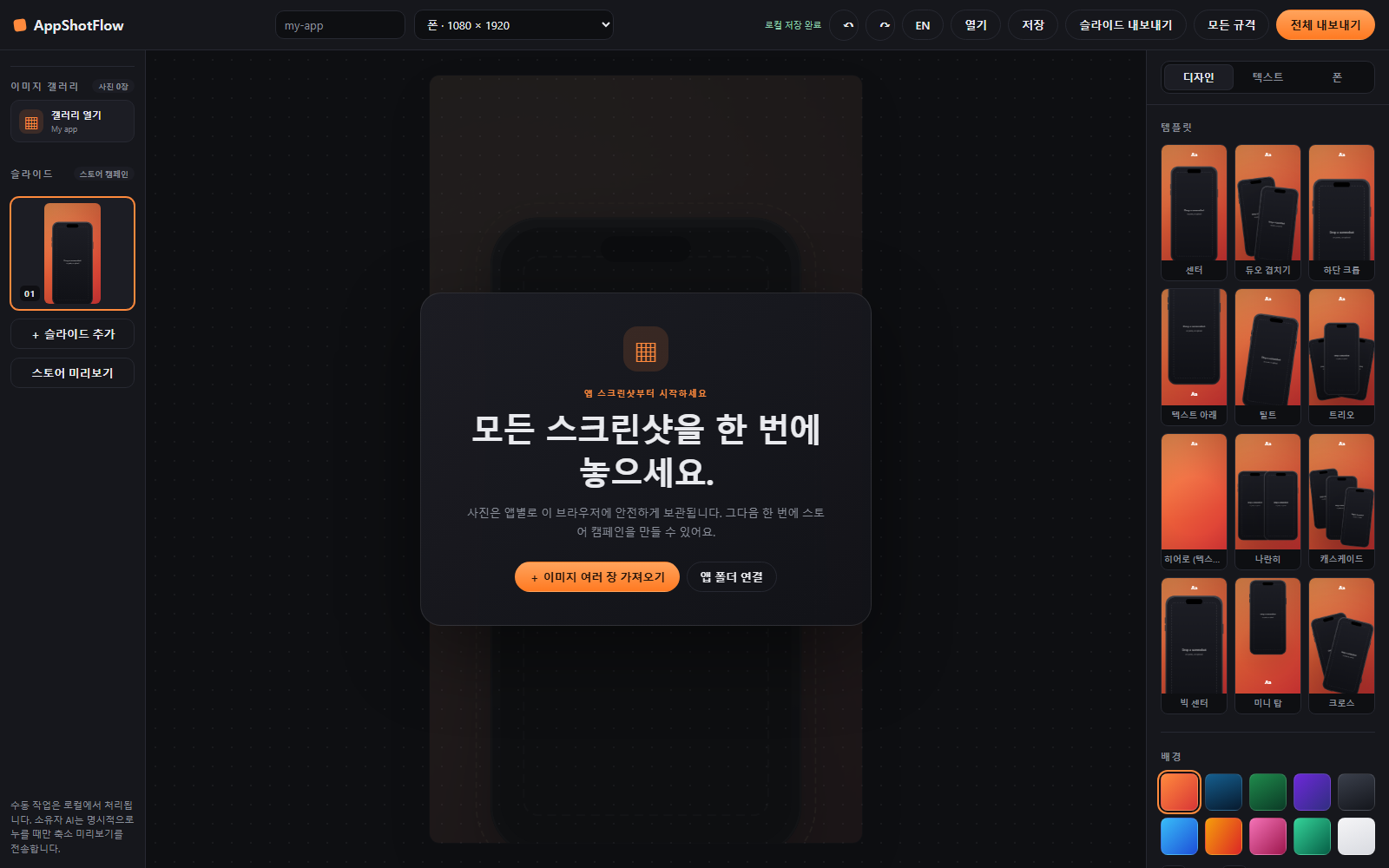
No pages of menus — slides on the left, a live canvas in the middle, every control on the right.

The AppShotFlow editor: slides on the left, live canvas in the center, style controls on the right

Freeform canvas

Drag phones anywhere.

Live set view

Thumbnails keep your whole listing in sight.

Instant export

Exact store dimensions, crisp PNGs.

Why this one

Built for shipping,
not subscribing.

Keep manual tools local, then call AI only for the screenshot you choose.

Local by default

Manual editing stays on-device. AI runs only when requested.

Duplicate & overlap

Multiple phones per slide.

Store-ready sizes

Exported pixel-perfect.

Full listing sets

Slides share one visual style.

Korean & English text

Headlines render with proper system fonts for CJK.

Trademark-safe frames

Generic island / notch / frameless devices.

Pricing

Free means free.

Everything in the studio today is free, with no watermark. Pro will only ever add extras on top.

Free

$0 forever

  • Every feature you see today
  • Unlimited slides and exports
  • No watermark
  • No account, no email
Start now

Pro coming soon

One-time purchase — not a subscription

  • Localized screenshot sets in every language
  • Template packs & layout presets
  • Brand kits (saved colors & fonts)
  • Batch text import

Nothing that is free today will ever move behind a paywall.

FAQ

Questions

Is it really free?

Yes.

Where do my screenshots go?

Nowhere.

Are the device frames official Apple or Google frames?

No.

Which browsers work?

Any modern browser.

Your next listing could look designed.

Open the studio